How to create Viral Shorts in 2026
 ShortsVid
Short-form video is not slowing down. It is still growing.
YouTube Shorts, Instagram Reels, and TikTok together pull in billions of views every single day. The people winning in this space are not always the ones with the best cameras or the fanciest setups. A lot of them are running fully faceless channels, and they are using AI to do most of the heavy lifting.
If you have been looking for a way to start creating shorts without showing your face, writing long scripts from scratch, or dealing with complicated editing software, ShortsVid is worth paying attention to.
This guide walks you through the entire process step by step, based on what the platform actually looks like and how it works.
What is ShortsVid and Why Does It Work for Faceless Channels?
ShortsVid is an AI-powered short video maker built specifically for creators who want to publish regularly without spending hours on each video. The platform handles script generation, voiceover, visual style, captions, and video rendering, all in one place.
The "faceless" part matters because you never need to appear on camera. The tool generates visuals that match your script automatically, which means you can run a faceless YouTube automation channel at a scale that would be impossible to manage manually.
It is one of the better top AI tools for short-form content right now, especially if you are serious about YouTube automation and want a consistent output without burning out.
Step 1: Set Your Language
When you open the Faceless Shorts creator on ShortsVid, the first setting you will see is Language. By default it is set to English (US), but you can change this if you are creating content for a different audience.
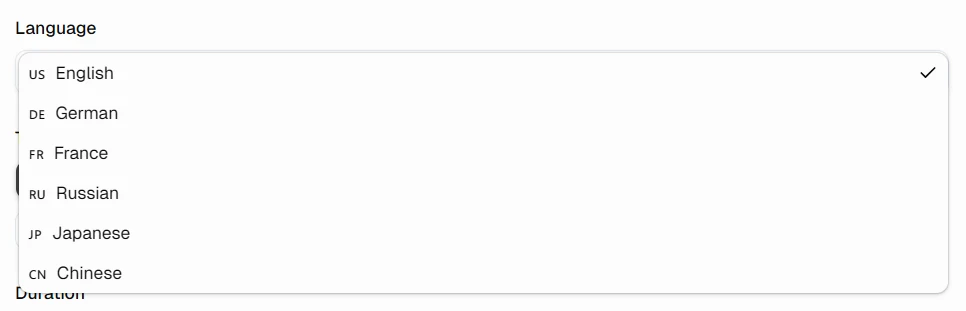
Getting this right from the start matters. If your voice, captions, and script are all aligned to the same language and region, the video feels polished. It also affects how auto captions are generated, and good auto captions can make a real difference in retention, since most people watch short videos with the sound off.
Step 2: Choose a Topic That People Actually Watch
This is probably the most important decision you will make. ShortsVid gives you a set of topic categories to choose from:
- Any Topic — lets the AI decide based on your description
- Motivational — performs consistently well, highly shareable
- Horror Story — drives some of the highest watch times in the shorts format
- History Facts — broad appeal, works across age groups
- Philosophy — attracts a thoughtful, loyal audience
- Storytelling — great for narrative-driven content
- Mystery Story — high curiosity factor, good for viewer retention
- Life Hacks — practical value, strong rewatch potential
If you are just getting started and want fast results, Horror Stories are worth testing first. They consistently pull viewers in from the first second, which is exactly what the algorithm rewards.
If you are building a long-term channel with evergreen content, Motivational and History Facts are more stable choices. They do not spike as dramatically but they hold up over time.
Pick one niche and stick with it for at least 20 videos before drawing any conclusions. The algorithm needs time to figure out who your audience is.
Step 3: Pick the Right Duration
ShortsVid gives you three duration options to match the kind of content you are making.

For most niches, 30 to 60 seconds gives you enough room to build a proper hook, develop the idea, and land a satisfying ending. Horror and mystery content especially needs that breathing room.
Shorter clips (10 to 15 seconds) can work well as teasers or "did you know" style content, but they are harder to monetize and harder to build a channel identity around.
Step 4: Write the Script (or Let AI Do It)
Here is where ShortsVid saves you the most time.
You have two options in the Script section:
Generate with AI: You describe what you want the video to be about, and the platform writes the script for you. This is what most people will use, and it works well for standard topics.
Add your own: You paste in your own script if you already have one written. This gives you full control over the narrative, which is useful if you have a specific story or angle in mind.
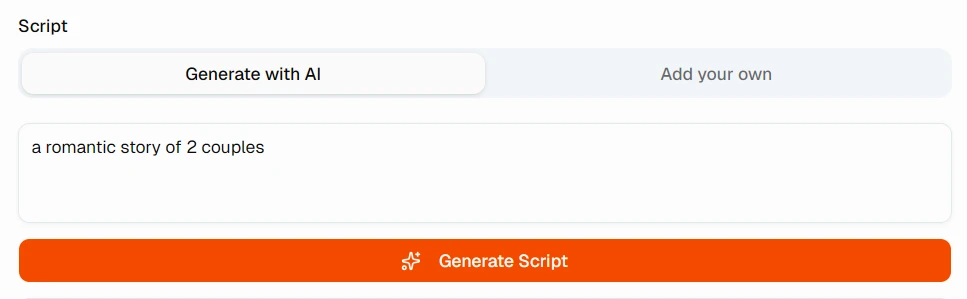
If you are using the AI option, be specific in your description. Instead of typing "a motivational video," try something like "a short motivational video about not giving up when things get hard, aimed at young people who feel stuck." The more context you give, the better the output.
A good short script follows this structure:
- Hook in the first 3 seconds — A question, a bold claim, or a surprising statement. This is what keeps people from scrolling.
- The main idea — One focused point. Not two, not three. One.
- A strong close — Either a takeaway, a twist, or a call to action.
Keep it under 150 words for a 30 to 60 second video when read at a normal pace.
Step 5: Choose Your Video Style
This is where the visual identity of your channel comes from. ShortsVid offers several distinct styles to match different types of content.
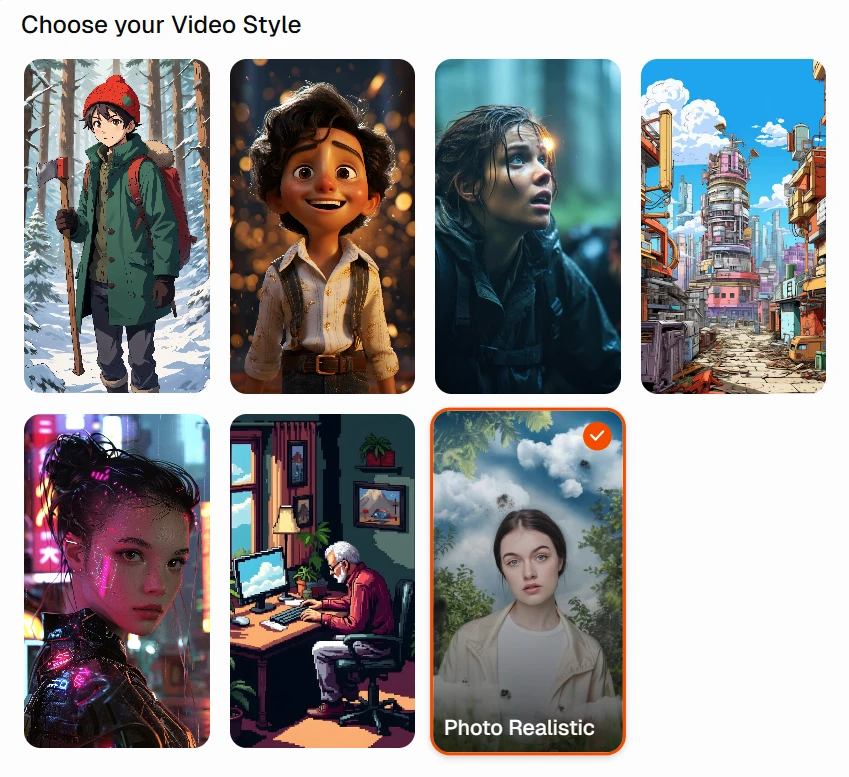
| Style | What It Looks Like | Best Paired With |
|---|---|---|
| Anime | Japanese animation aesthetic, expressive characters | Storytelling, Fantasy |
| Pixar-style 3D | Warm, polished, character-driven | Motivational, Kids content |
| Cinematic Dark | High contrast, moody, intense | Horror, Mystery |
| Cyberpunk City | Neon-lit streets, futuristic | Tech, Sci-fi, Philosophy |
| Cyberpunk Character | Glowing details, high-tech look | Mystery, Thriller |
| Vintage / Pixel Art | Retro aesthetic, warm indoor tones | Nostalgia, Life Hacks |
| Photo Realistic | Natural lighting, lifelike human figures | Horror, Documentary, Motivational |
Photo Realistic is the most versatile of the bunch. It works for nearly every niche and feels the most premium. If you are not sure which style to pick, start here.
If you are building a horror channel, the combination of Cinematic Dark visuals with horror scripts is hard to beat for engagement.
One thing worth doing early on: pick a style and stay with it. Consistency in visual identity helps people recognize your content in their feed even before they see your channel name.
Step 6: Select Your Voice
Audio quality can make or break a short video. ShortsVid has a library of voices you can search through, including options with noise reduction applied, which matters more than people realize.
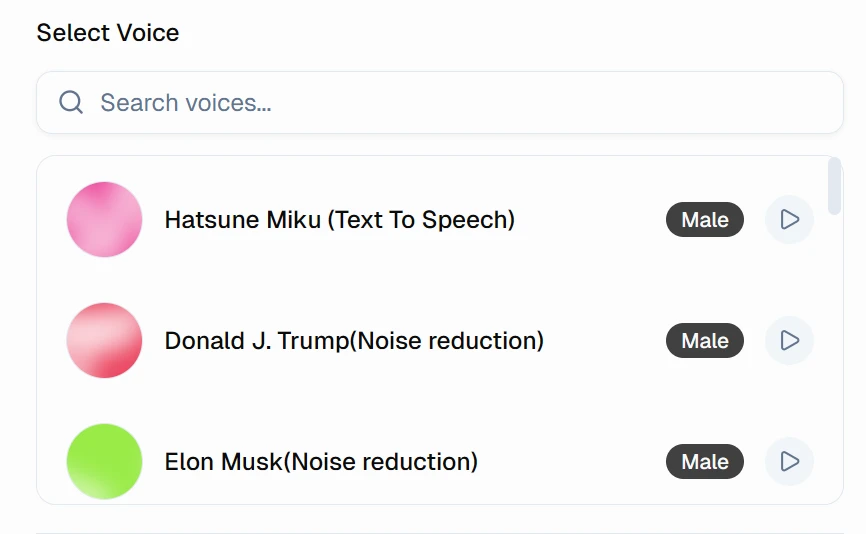
A few things to keep in mind when choosing:
- Match the energy of the voice to your topic. A slow, measured voice works for mystery or philosophy. A faster, energetic voice suits motivational content better.
- The noise reduction voices tend to sound cleaner and more professional, especially on mobile speakers.
- Test a few options before committing to one. ShortsVid lets you preview each voice before generating.
Your voice is part of your brand. If you use the same voice across all your videos, viewers start to associate that sound with your channel. It builds familiarity faster than most creators realize.
Step 7: Set Up Your Captions
Captions are not optional if you are serious about performance. Most people watch shorts with the sound off, and even those who have the sound on tend to follow captions naturally.
ShortsVid gives you multiple caption styles to pick from, ranging from bold single-word highlights to more subtle text-only looks.
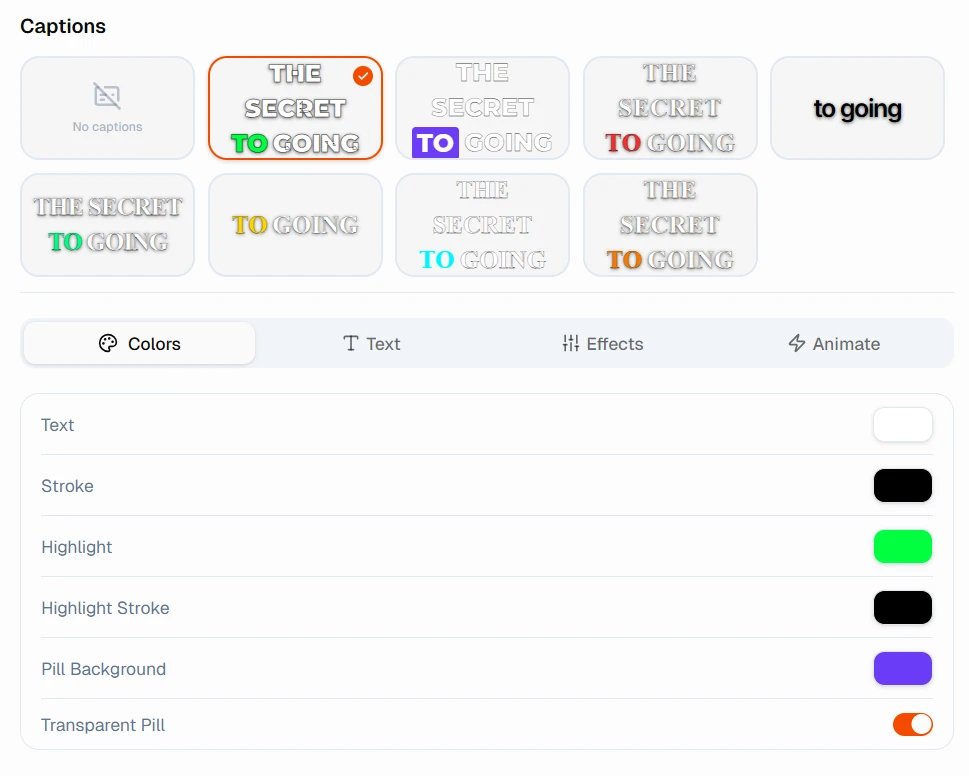
You can also customize:
- Text color — make the active word pop against the background
- Stroke — adds an outline so text stays readable over any visual
- Highlight color — draws the eye to the current word being spoken
- Pill background — a colored box behind the text for extra readability
- Transparent pill — a softer version of the pill that does not overwhelm the visual
The caption styles with a highlighted active word tend to perform well because they keep the viewer's eye moving with the audio. This is the same technique you see on most viral short-form content.
Keep your text large enough to read on a phone screen without zooming in. If someone has to squint, they will scroll instead.
Step 8: Generate Your Video
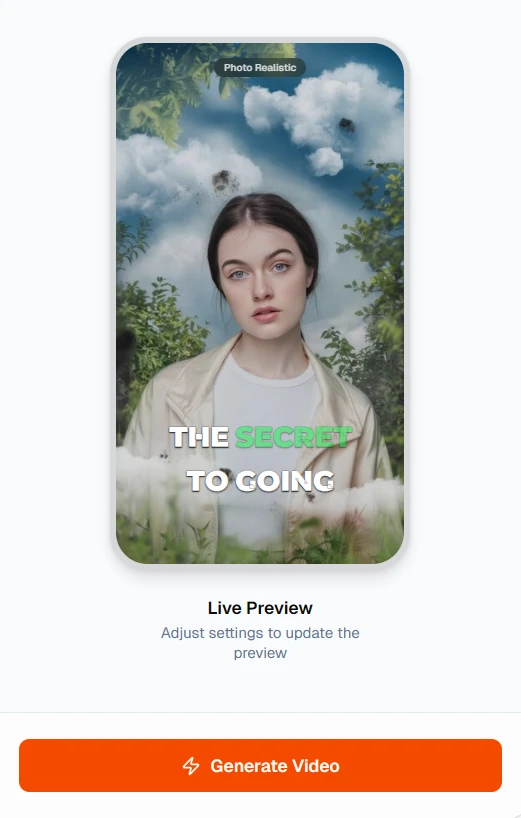
Once you have set everything, hit Generate Video.
ShortsVid will render the full short with your settings applied.
Publishing Strategy: What to Do After You Generate
Generating the video is only half the job. Here is what matters after:
Upload natively to each platform. Do not cross-post the same file from one platform to the other. Download your short and upload it directly to YouTube Shorts, Instagram Reels, and wherever else you are posting. Native uploads get better algorithmic treatment.
Write a strong title and description. For YouTube Shorts, your title is the main thing the search algorithm uses. Use plain language that people would actually type. Terms like youtube shorts, shorts video, reels shorts, and yt shorts all have significant search volume and low competition. Use them naturally in your titles and descriptions.
Use relevant hashtags. A mix of broad tags like #YouTubeShorts and #Reels alongside more specific ones like #HorrorShorts or #MotivationalShorts gives you the best reach. Do not stuff 30 hashtags. Five to eight focused ones work better.
Post consistently. The channels that grow on short-form video are almost always the ones posting every day or every other day. ShortsVid's whole point is to make that pace sustainable. Aim for at least 4 to 5 shorts per week when you are starting out.
Track what works. After 20 to 30 videos, look at your analytics. Which topics got the most views? Which video style held attention longest? Double down on what the data shows you, not what you assumed would work.
Common Mistakes to Avoid
Skipping the hook. The first 2 seconds decide whether someone watches or scrolls. Do not waste them on an intro or channel name. Get into the content immediately.
Changing your style every few videos. It is tempting to experiment, but consistency is what builds a recognizable channel. Pick your visual style and stick with it for at least a month.
Ignoring captions. Videos without captions consistently underperform compared to captioned ones. It takes two minutes to set up in ShortsVid and it is worth it every time.
Using a voice that does not match the content. A cheerful, upbeat voice on a horror script feels off and breaks immersion. Take the time to preview a few voices before you decide.
Uploading irregularly. Posting 10 videos in a week then nothing for two weeks confuses the algorithm and loses your audience. Slow and steady beats burst posting every time.
Who Should Be Using ShortsVid
ShortsVid is genuinely useful if you fall into one of these categories:
- You want to build an automated YouTube channel without appearing on camera
- You are a creator who wants to repurpose written content (blog posts, newsletters, scripts) into short videos
- You run a brand or business and want to produce regular social media content without hiring a full video team
- You are testing multiple niches and need to produce content quickly across different styles
- You are new to video creation and want something that handles the technical side while you focus on the creative direction
It is not a magic growth button. You still need to think about topics, study what performs in your niche, and post consistently. But it removes the production barrier almost entirely, which is the thing that stops most people from getting started.
Final Thoughts
Faceless short-form video is one of the most accessible ways to build an audience online right now. The tools have caught up to the point where you do not need a studio, a script team, or a professional voiceover artist to produce content that looks and sounds great.
ShortsVid puts all of that into one place. Pick your topic, describe your idea, choose how it looks and sounds, and generate. The whole process can take under five minutes once you are familiar with the workflow.
The instagram reel generator and youtube short app space is crowded, but very few tools are built specifically around faceless content the way ShortsVid is. If you are serious about youtube automation and want to build something that runs consistently without burning you out, this is a solid place to start.
Start with one video. Post it. See what the numbers tell you. Then make another one.
That is really all there is to it.

Create Viral AI Shorts
No editing required. Generate faceless videos in minutes using ShortsVid.
Start Creating for Free